From Complex to Simple: Making AI Features Intuitive for Non-Tech Users
articlesartificial intelligenceAdding AI to a product is no longer the hard part. Making it usable is.
Founders today can access powerful models, APIs, and tooling in as little as days or weeks. But once AI features reach real users, a different challenge appears. Adoption slows. Support questions grow. Teams realize that a technically correct AI feature doesn’t automatically translate into product value.
Most of the time, the issue isn’t accuracy or performance. It’s integration.
Non-technical users don’t want to learn how AI works or decide when to use it. They want the product to behave predictably, help them move faster, and stay out of the way. When AI feels like a separate layer or demands extra decisions, it becomes friction instead of leverage.
That’s why intuitive AI is not about UI polish or simplifying screens. It’s about designing and implementing AI features into existing workflows with clear behavior, sensible defaults, and built-in trust.
In this article, we focus on how AI features should be designed and implemented for non-technical users, what makes them work in real products, and how founders can reduce adoption risk when bringing AI into their platforms.
Why AI Features Break at the Product Level
Most AI features don’t fail in development. They fail after release, when they meet real users.
From a product perspective, this usually happens for one simple reason: AI is implemented as a capability, not as behavior. The feature technically works, but it doesn’t clearly fit into how users complete their tasks.
Non-technical users don’t explore products. They follow familiar scenarios. If an AI feature doesn’t naturally belong to one of those scenarios, it gets skipped, even if it promises better results. Concerns about trust often reinforce this hesitation. Nearly 52% of consumers worry about how AI systems handle and protect their personal data, so unclear or hard-to-control AI behavior immediately feels risky.
In practice, this breakdown shows up in very similar ways across products:
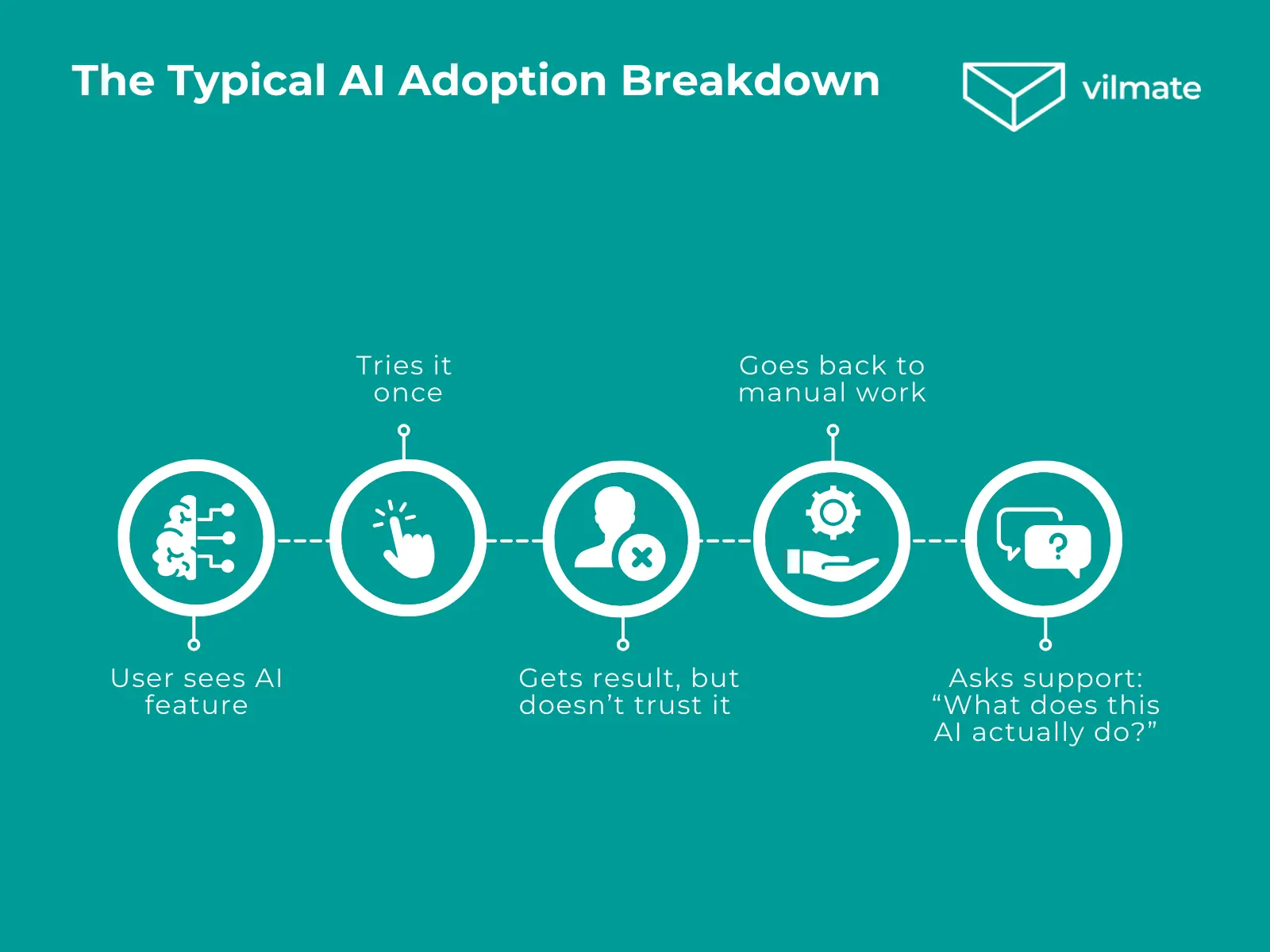
- users avoid the AI feature and complete the task manually
- the feature is used once or twice, then quietly ignored
- support teams get questions about what the AI does or where the data goes
- teams hesitate to rely on AI for anything important or sensitive
These signals usually point to the same underlying issue. Users are forced to pause and think at the wrong moment. When that happens, AI becomes optional, even if it works well.
At this level, the problem is rarely solved by improving the model. It’s solved by clarifying behavior: when AI activates, what it changes, and what remains under user control. For founders, this is where AI feature implementation becomes a product decision, not just a technical one.
What “Intuitive” Means for Non-Technical Users
When founders talk about intuitive AI, they often mean “easy to use.” In practice, that definition is too vague to be useful.
For non-technical users, intuitive doesn’t mean simple or minimal. It means familiar. The feature behaves in a way that matches how they already work and think, without asking them to understand how the AI works under the hood.
An intuitive AI feature doesn’t introduce a new workflow. It fits into an existing one.
Users don’t want to decide when to involve AI or how to configure it. They want the product to make that decision quietly and correctly. The moment a user has to stop and ask, “Should I use the AI here?” something in the design has already failed.
In practical terms, AI feels intuitive when users can:
- understand what just happened without extra explanation
- see how the result relates to their original action
- trust that they can adjust or undo the outcome
- continue their task without switching context
Notice what’s missing here. There’s no requirement to learn new concepts, write prompts, or manage settings. The AI works in the background, and the user stays in control of the outcome, not the process.
This is why intuitive AI is not about entirely hiding complexity. It’s about placing complexity where users don’t have to deal with it. When that balance is right, AI stops feeling like a feature and becomes part of the product itself.
What Makes AI Features Work in Real Products
AI features start delivering value when they’re designed around real use cases, not technical capabilities.
In products where AI gets adopted, it rarely feels like something separate. It shows up inside familiar actions and quietly removes friction. Users don’t think about “using AI”. They just keep moving through their task.
In practice, AI features that work consistently follow a small set of principles.
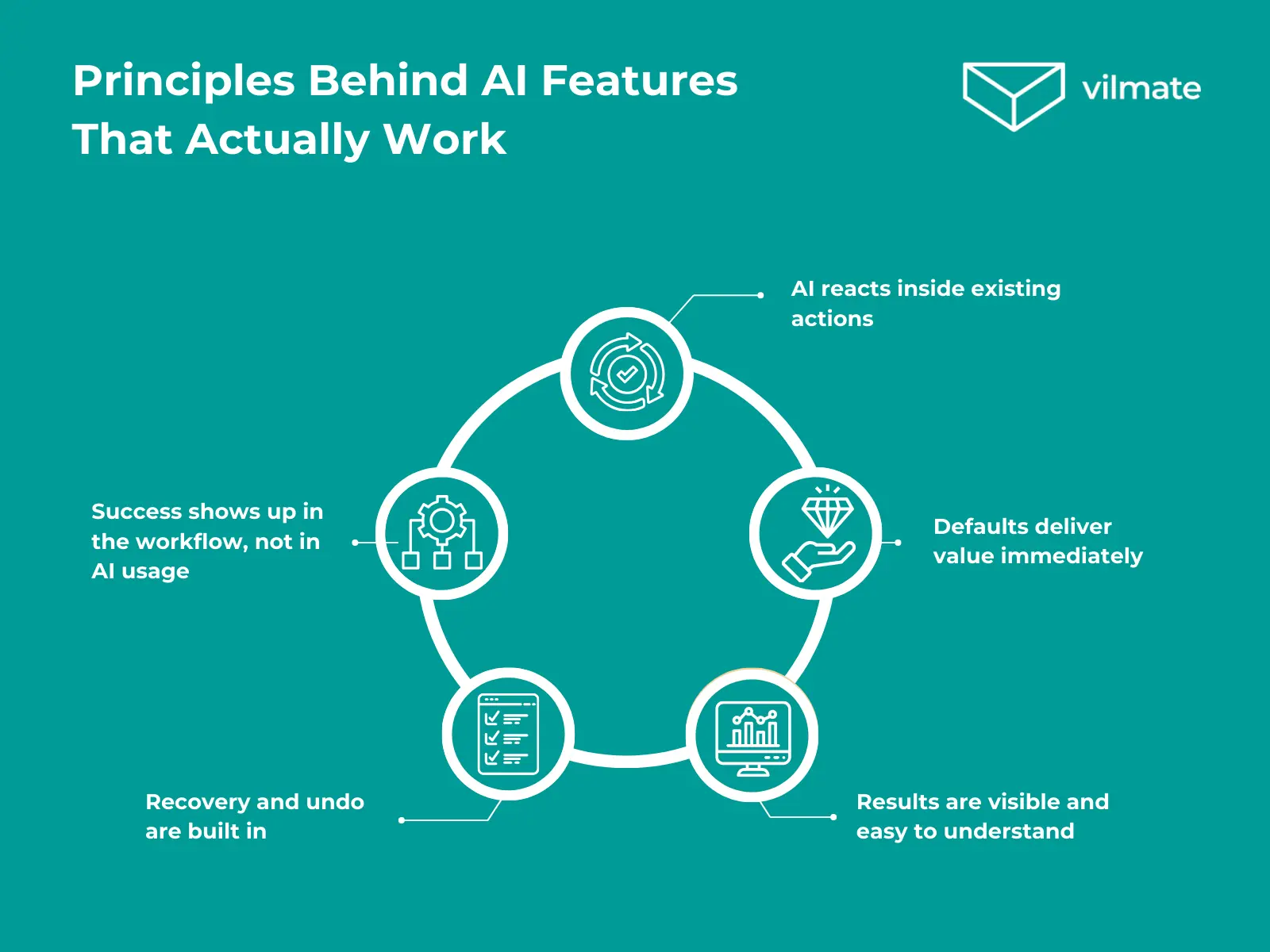
- AI reacts to an existing action. A user edits content, uploads data, or submits a form, and AI responds in context by suggesting improvements or filling in missing information. There’s no separate AI screen and no decision about whether to involve AI.
- Defaults handle most cases. Instead of asking users to tune settings, the feature works immediately with sensible defaults. Advanced controls exist, but they don’t block the first interaction or distract users who just want a result.
- Results are easy to understand. When AI makes a change, users can immediately see what was updated and why it matters. Highlighted edits, short explanations, or side-by-side previews work far better than technical descriptions.
- Recovery is built into the flow. Before applying changes, users can preview the result. Afterward, they can undo or tweak it. This makes experimentation feel safe, even when AI touches data, money, or decisions.
- Success shows up in the workflow. Teams notice fewer manual steps, faster task completion, and fewer support questions. Users don’t talk about the AI feature itself. They say the product feels easier to use.
These principles are not abstract guidelines. They’re reflected in how large, mature products have approached AI over time.
Real-Life Examples: How Large Products Implement AI in Practice
Early enterprise AI tools often treated AI as a separate layer. Platforms like IBM Watson provided powerful capabilities, but required users to learn new dashboards, terminology, and workflows. Adoption depended on training sessions and internal champions rather than natural daily use. The AI worked, but it stayed outside the core product behavior.
Later implementations moved in the opposite direction. Google Docs Smart Compose doesn’t introduce a new AI mode or interface. It appears directly as users type, reacts to context, and can be accepted or ignored instantly. There’s no setup, no commitment, and no disruption to the writing flow. AI supports the task instead of competing with it.
A different challenge surfaced in voice-driven shopping experiments around Amazon Alexa. Even when recommendations were accurate, many users hesitated to rely on AI for purchases. The limitation wasn’t intelligence, but trust. Users lacked visibility, a preview, and easy recovery, which made delegating decisions feel risky.
By contrast, Netflix uses AI to narrow choices without taking control away. Recommendations are contextual and optional. Users can scroll past them, explore alternatives, or ignore them entirely. AI reduces effort while leaving the final decision with the user.
Across these examples, the pattern is consistent. AI succeeds when it reacts to familiar actions, remains optional, and provides clarity and control. When AI asks users to adapt to it, adoption slows, regardless of how advanced the technology behind it may be.
What Founders Should Plan Before Building AI Features
Before building AI features, it’s worth stepping back from models and tooling and focusing on how the feature will actually live inside the product.
This applies even when AI is the core of the platform. An AI-powered product doesn’t require users to understand prompts, configurations, or system logic. It requires the product to translate intelligence into familiar actions and outcomes.
There are a few product-level decisions that consistently determine whether an AI feature feels intuitive or becomes friction.
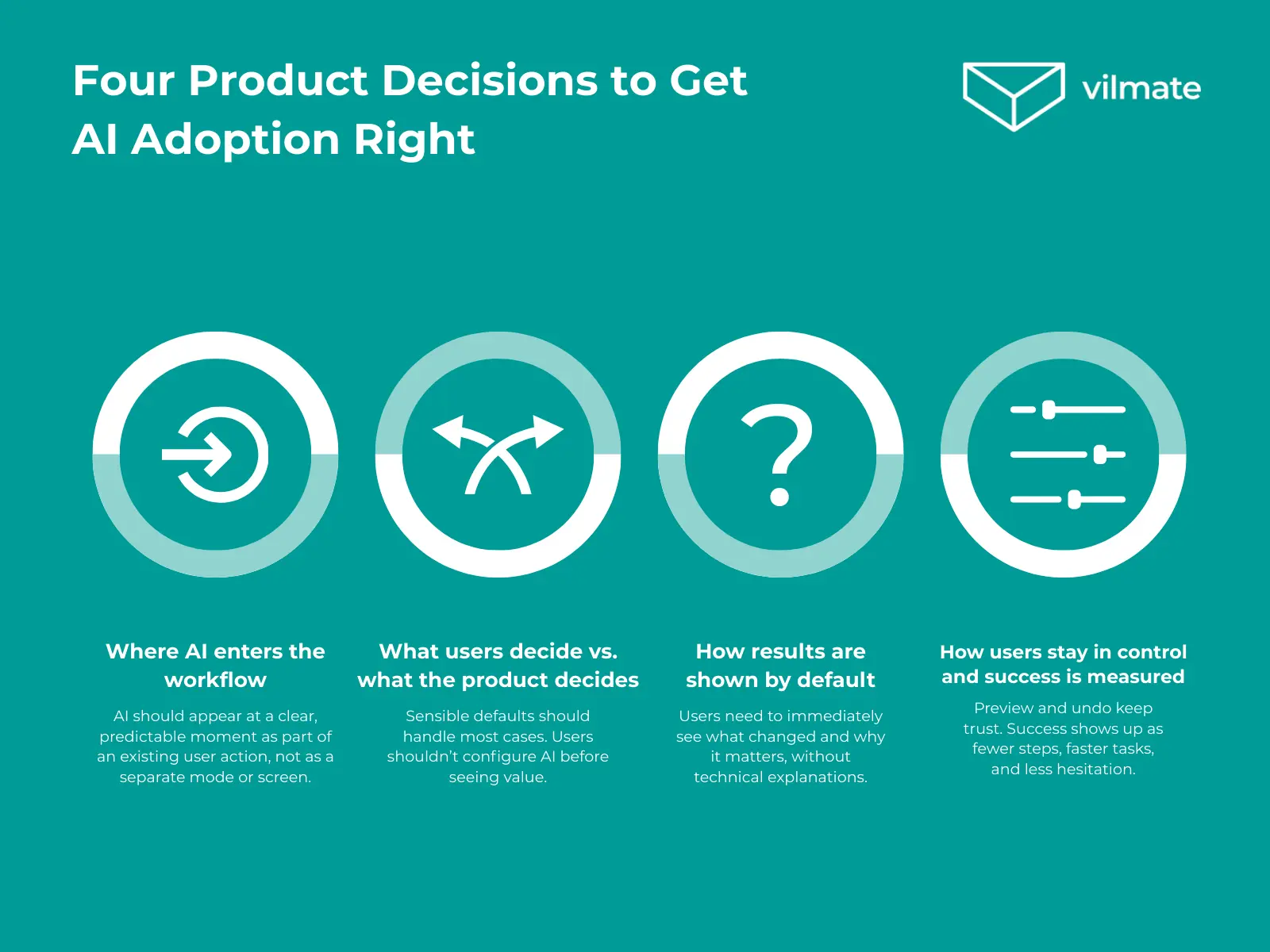
1. Where AI enters the workflow.
AI should appear at a precise, predictable moment, triggered by an action the user already understands, not as a separate mode, screen, or decision, but as a natural continuation of what the user is doing.
2. What the user needs to decide — and what the product decides for them.
Most users don’t want to configure AI. Sensible defaults should handle the typical case, while advanced options stay out of the way. If users have to decide how AI should work before seeing value, adoption suffers.
3. How results are shown by default.
Users care about what changed and why it matters, not how the result was generated. The first output should be immediately readable, without explanations of models, prompts, or internal logic.
4. How users stay in control — and how success is measured.
Preview, undo, and simple adjustments are not optional. They allow users to trust the system without blind delegation, especially when AI touches data, money, or decisions. The goal isn’t interaction with AI itself, but fewer manual steps, faster task completion, and fewer moments of hesitation. If the workflow feels smoother, the AI is doing its job.
When these questions are answered upfront, AI features become easier to design and implement, regardless of how complex the underlying logic is. Users don’t need to know that AI is involved at all. They just noticed that the product works better.
That’s the difference between adding AI to a product and building a product where AI actually belongs.
Conclusion
Designing AI features this way takes more than plugging a model into an interface. It requires product thinking, careful integration into real workflows, and constant attention to how non-technical users experience the feature in practice.
This is precisely where teams often need support — not with AI itself, but with turning AI into something users can rely on without having to think about how it works.
If that’s the challenge you’re facing, Vilmate helps teams design and implement AI features that fit naturally into real products, even when AI is at the core of the platform.