Voice user interfaces (VUIs) are built to provide speech recognition capabilities to assist users in utilizing their smart devices, and generally, they are a cornerstone of the modern user experience. Voice recognition not only refers to the traditional functionality of text to speech but also to improved integration of voice into IoT applications, and many more.
VUIs can be an excellent foundation for building new types of applications that provide significant value to users and businesses. The second era of voice user interfaces that we live in is also the age of advances in technology, graphics processing, and cloud computing, which is all giving rise to AI and ML. And speech recognition technology is the technology that helps reveal the true potential of AI to the world. In this article, we’ll take a look at how speech recognition technology works, what features make it so appealing, and what challenges one has to be ready to face when diving into this exciting field.
How voice technology and speech recognition work
The first era of VUIs began in the early 2000s. Interactive voice response (IVR) systems that were capable of understanding human speech were growing in popularity then. They were not without flaws but what is important is that they paved the way for future developments in the field and laid the foundations for what we see in speech recognition today.
Simple IVR software allowed pre-recording commands and executed these commands upon receiving them from humans. However, if we talk about advanced IVR systems, we have to talk about the systems that included speech-recognition software allowing a caller to communicate with a computer using simple voice commands. It let serve high call volumes with decent efficiency. Routing callers to the right menu and to the operator or sales agent that were capable of assisting them. Phone banking, phone surveys, and televoting are the most common use cases of IVRs.
Voice technology, as we know it now, is the product of the second era of VUIs. Virtual assistants like Alexa, Siri, and Google Assistant are all products of the second era of voice user interfaces. So, how do they actually enable voice recognition?
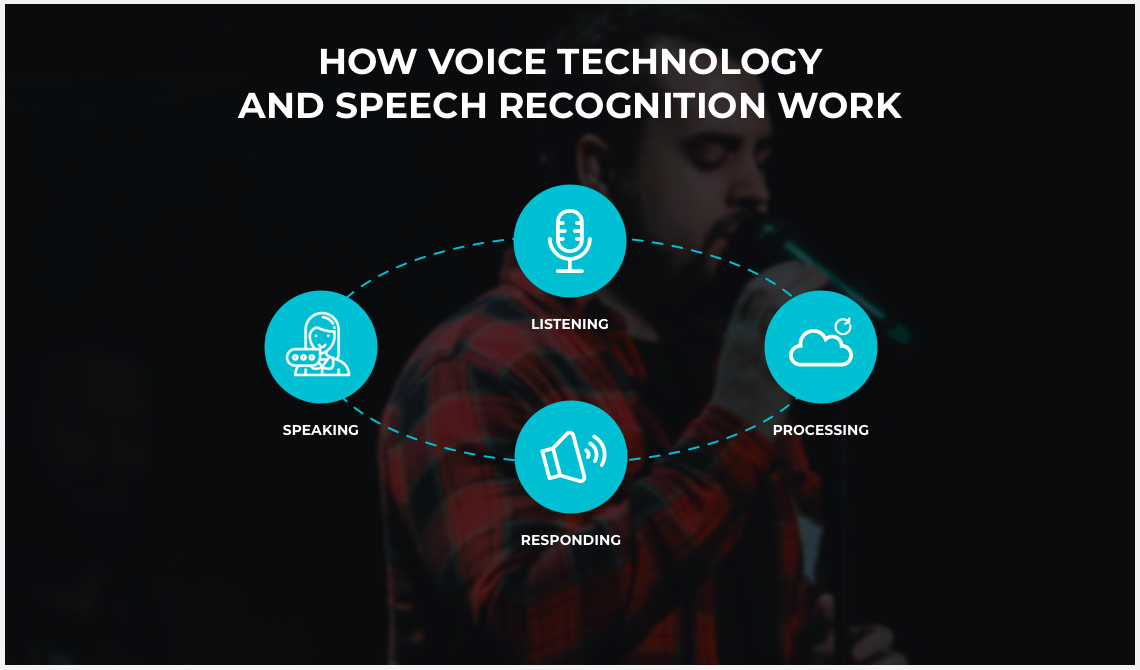
In short, voice user interfaces work according to the following algorithm:
Speech recognition software converts input analog waves into a digital format
The audio input is broken down into separate sounds, phonemes
The software analyzes each of them and compares to words from the dictionary
Speech is converted to on-screen text or computer commands
This workflow is enabled by Automatic Speech Recognition (ASR) and Natural Language Understanding (NLU). Automatic Speech Recognition is the process of transforming spoken language into text. This step is known as transcription. The computer recognizes the words said. Next, we need to interpret what the computer heard and understood so that it could act upon those commands. Natural Language Understanding is what allows semantic interpretation. It is a branch of NLP and one of the key AI operations that helps interpret human language. Going beyond speech recognition, it is capable of determining the speaker’s intent. NLU recognizes patterns within a human language and lets a computer engage in a meaningful dialog with its users in a natural, interactive, conversational manner. This process can be reduced to four elements described in the scheme below.
The key success factor here is the correct interpretation of the command uttered. Accordingly, one will be able to take full advantage of voice technology only if the right technology framework is chosen for the tasks of ASR and NLU.
User interfaces let people interact with computers of any type, including PCs, smartphones, tablets, and game consoles. Accordingly, modern UI designs are expected to give people the confidence to use computers as if they were their own personal assistants, responding to all sorts of requests and commands. This human-centric nature of UI designs is what drives innovation in the field. Thus, voice-enabled technology has become the next-generation interface paradigm, promising significant potential for improving user experience and productivity.
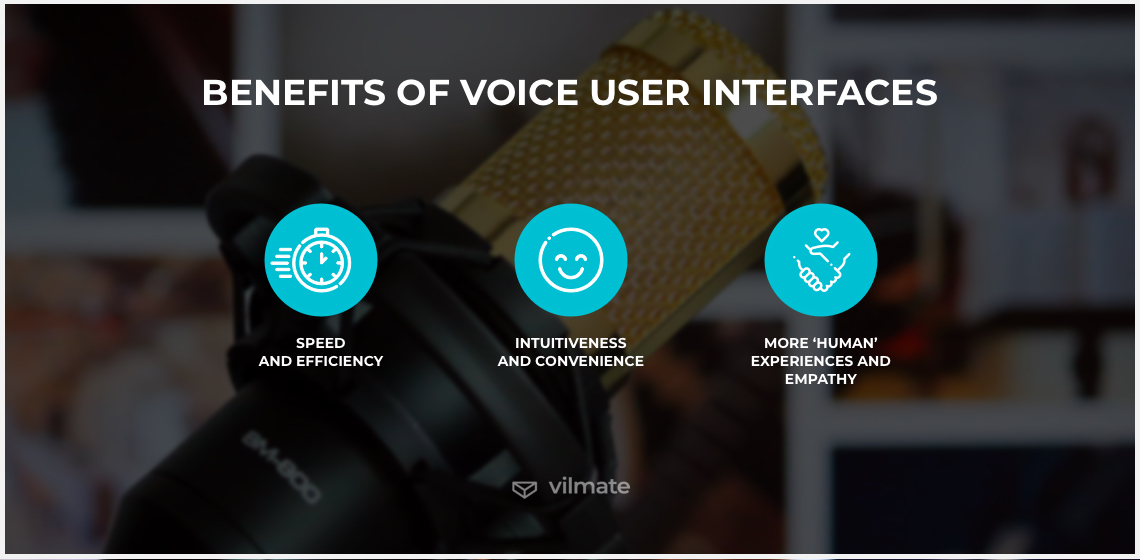
Voice-user interfaces empowered millions of people to gain better control over their homes, businesses, and phones. Of course, VUIs are different from graphical UIs. The same guidelines cannot be applied to them both. But voice-enabled UIs have a number of distinct advantages that are illustrated in the following examples:
1. Speed and efficiency
VUIs allow for hands-free interactions. This form of interaction removes the need to tap on the screen or press buttons. Speech is the primary mode of human communication. For centuries, people have been building relationships through speech. That is why technologies that enable customers to do the same are highly valued. Besides, dictating text messages was proven to be faster than typing, even for expert texters. Hands-free interactions save time and increase efficiency, at least in some cases.
With that in mind, a group of Microsoft researchers has recently presented the concept of place-onas. These place-onas serve as hypothetical archetypes of places in which the envisioned application is expected to be used. The examples include a place-ona ‘in a library wearing headphones’, a ‘cooking’ place-ona, a ‘nightclub’ place-ona, and a ‘driving’ place-ona. Their hands, eyes, and ears can be either free or busy, and their voice can be either restricted or free. This affects the possibility to use VUIs and is something the app development team must always keep in mind.
2. Intuitiveness and convenience
Quality VUIs have to provide intuitive user flow, and technological innovations promise to continue increasing the intuitiveness of voice interfaces. VUIs require less cognitive effort from a user than graphical UIs. Moreover, everyone – be it a little child or your grandmother – knows how to talk. So, designers of VUIs are generally better positioned compared to GUIs designers who risk delivering unintuitive menus and exposing users to the discomfort of poor interface design. It is probable that VUI creators won’t have to instruct customers on how to use the technology. Instead, people can ask their voice assistant if help is needed.
Voice is today’s vehicle for human-machine interactions. This democratizes the use of technology by letting users interact with their computers as if they were speaking with a friend. Still, there is a challenge of understanding users’ intent and responding appropriately to their commands. But a new lexicon of commonly-understood and intuitive cues for voice control is emerging to enable people to intuitively navigate between different AI systems.
3. More ‘human’ experiences and empathy
Experiences with accurate speech recognition software promise a more humane conversation. Today’s consumers seek personality in voice-based man-machine interactions. On one hand, they want a machine that understands and expresses thoughts like their own – this is known as empathic language. On the other hand, they want a machine that speaks in their native language and that brings the speed, efficiency, and naturalness of spoken human interactions. The combination of the two allows recognizing personality in speech, including emotions, intentions, and features of the speech that the customer uses to express them.
Also, using voice, one can better convey the tone of a message. Tone and intonation play a large role in communication, and voice-enabled technology has this advantage over other standard technology choices. And it works both ways. Virtual assistants, when unable to understand the command, can reply in an easy-going way so that users don’t feel frustrated. Meanwhile, users are free to formulate commands as they will, and intelligent voice interfaces will react to the intonation, tone of the voice and choice of words. Besides, hearing the virtual assistant’s voice answering users’ commands or questions may bring comfort to those who feel low or vulnerable.
At the same time, however, voice-enabled technologies allow for natural language interaction, enabling users to focus on the intended message and not worry about being misunderstood or misrepresented.
Limitations to using voice user interfaces
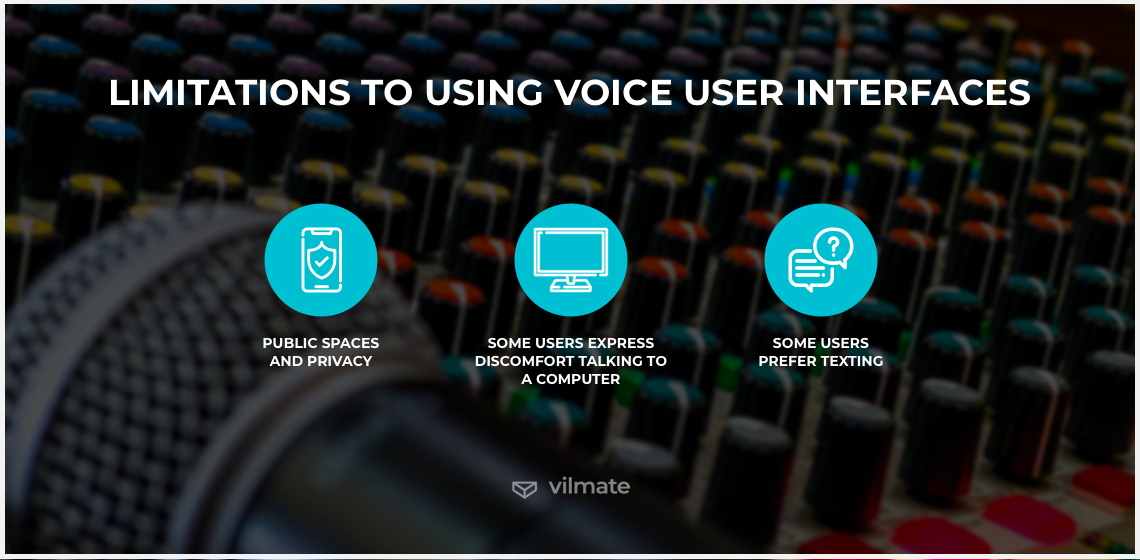
All that said, speech recognition technology is still not a cure-all. Sometimes, it is more convenient for users to go for a traditional graphical interface instead. The following list will give you an idea of the presumable limitations in using voice-assisted applications:
Public spaces and privacy – The main problem with having a verbal interface is that users will sometimes find themselves in a position where they cannot speak freely. This can be due to physical reasons or privacy concerns. First, voice commands and voice-user interfaces both on mobile devices and computers can be used in different settings and in different contexts. However, it is a very impractical thing to do in public spaces. Voice can be limited due to environmental noise or someone else talking next to the person using the assistant. This may result in errors in communication n between a voice assistant and a user.Second, VUIs make it harder to be private, and not only at the time of speaking but actually overall. It refers to overhearing dictated and arriving messages as well as voice assistants listening to its household 24/7, monitoring more and more elements of our daily lives.
Some users express discomfort talking to a computer – Another point of concern is that some people feel uncomfortable when they deal with a voice user interface. They might find it difficult to pick the right words to address assistants verbally or just speak out loud, even when nobody else is around. For them, it is unnatural to speak to a machine. So, every slight recognition error from a computer or their own inability to provide a computer with sufficient input information discourages these users from going on trying to perform tasks with voice interfaces. Voice interaction is something new and if a person has not been trained to use a voice-based interface, they might struggle with it.
Some users prefer texting – Although voice user interfaces are becoming more and more common, texting may still be the preferred method of communication for some people. A graphical interface allows users to type with more precision than interaction with a voice UI. Sometimes, it may take less time to communicate using voice, but young users are simply more accustomed to multitasking between different applications on their smart devices, some of which are navigated best manually. Some behavioral factors are also in play when it comes to using voice UI. Thus, people who prefer to communicate verbally will get used to VUIs faster and more zestfully.
The challenges of voice recognition technology adoption
Apart from the marketable advantages that new technology brings to the table, it also comes with certain challenges, especially in the areas of accuracy, integration with traditional technology, data privacy, and cost. Some of these challenges are already being overcome by many major technology vendors but there’s always room for improvement.
Accuracy. Speech recognition technology is not 100% accurate. Although accuracy has been an issue since technology emergence, it is a moving target. Due to developments in the field of deep learning, speech recognition accuracy improvement is a rapid and dynamically evolving process. Therefore, the customer’s expectations regarding this matter are now as high as never before. Deep learning is moving toward solving such problems as voice systems’ performance in noisy environments. For instance, Google has already managed to achieve 95% machine learning word accuracy and expects to receive a variety of new data for training to overcome all the limitations to voice or speech recognition accuracy.
Integration. The integration of speech recognition technology poses another challenge to voice recognition technology adoption. Those who wish to make voice recognition part of their smart products or apps must understand the minimum requirements: the needed time and resources. Thus, it is essential to have a team whose skills allow simplifying the integration process. This will speed up the process and allow focusing on the bigger picture. Two major problems are the large complexity of the voice recognition technology and the significant increase in the computational power needed to perform automated speech recognition. The team has to be experts in speech recognition, computer vision, and machine learning technologies to implement voice recognition software in the most efficient way.
Data privacy. We’ve mentioned privacy-related challenges before in the context of limitations to using voice user interfaces. Adding an extra layer of security is the right call to make under these circumstances. Integrating voice recognition technology means entrusting third parties with a large amount of data that has to remain secure. So, addressing the challenges of voice recognition technology adoption, one must take care of building a strong end-to-end encryption infrastructure with full trust. Then, sending audios about personal or enterprise internal information, a user could be sure that their data remains confidential and speech recognition accuracy – still relatively high. Besides, encrypted data can be effectively used for training voice recognition models without sacrificing users’ privacy.
Cost. The adoption of voice technology is pricey. Yet, businesses that are resolved to implement speech recognition technology (so that accuracy and privacy characteristics were at their best) are normally expecting to pay a considerable amount of money for it. Decoding a human voice is no simple task. As a result, voice recognition systems become quite expensive to set up. However, opting for automatic voice recognition software, one can save their finances that could be otherwise spent to employ additional staff, such as transcriptionists or editors.
Conclusion
Voice user interfaces lie at the heart of the new UI paradigm. Experience designers, in particular, are always in search of innovative design techniques and VUIs are a natural place to start. Despite VUIs’ steady growth in popularity, some users still do not trust the technology and report difficulties in navigating and interacting with voice interfaces. At the same time, speech-enabled interfaces prove to be a powerful tool to bring users closer to the features and functions that businesses want them to experience. It is clear that we have yet work to do to bridge the gap between business requirements and the technical capabilities of speech interfaces. However, it is already within our reach to accept those challenges and do our best to create excellent experiences for our users.
AUTHOR BIO
Hanna Skryl
Web Content Writer
Hanna is a content writer at Vilmate with a background in English philology and a genuine curiosity for all things tech. She covers topics at the intersection of design, development, and emerging technologies — from UX writing and voice interfaces to AR/VR and mobile apps.
Somewhere between a board meeting and an e-commerce roadmap, “we need AI” becomes a non-negotiable business requirement. The pressure is real. In Dataiku’s 2026 survey of 900 enterprise CEOs, 80% said their role could be at risk if their company failed to show measurable AI gains by year-end. These circumstances can move an AI project […]
By now, the case for personalized search in e-commerce has been made loudly enough. Vendors praise it, reports measure it, case studies add conversion lifts, and we have already covered the theory in our guide to e-commerce personalized search and the scenarios in e-commerce personalized search examples. So yes, the point has landed. Personalized search […]
Personalized search is easy to like in theory. Better results, smarter product discovery, more relevant buying journeys—all sound great. Also slightly abstract, until you see what can happen when a real shopper types a real query, and the store uses the context already sitting in front of it. Theory still matters. That is why we […]
Cookies help us see what's working on this site and make it better. Your call on what we track.
Functional
Always active
The technical storage or access is strictly necessary for the legitimate purpose of enabling the use of a specific service explicitly requested by the subscriber or user, or for the sole purpose of carrying out the transmission of a communication over an electronic communications network.
Preferences
The technical storage or access is necessary for the legitimate purpose of storing preferences that are not requested by the subscriber or user.
Statistics
The technical storage or access that is used exclusively for statistical purposes.The technical storage or access that is used exclusively for anonymous statistical purposes. Without a subpoena, voluntary compliance on the part of your Internet Service Provider, or additional records from a third party, information stored or retrieved for this purpose alone cannot usually be used to identify you.
Marketing
The technical storage or access is required to create user profiles to send advertising, or to track the user on a website or across several websites for similar marketing purposes.