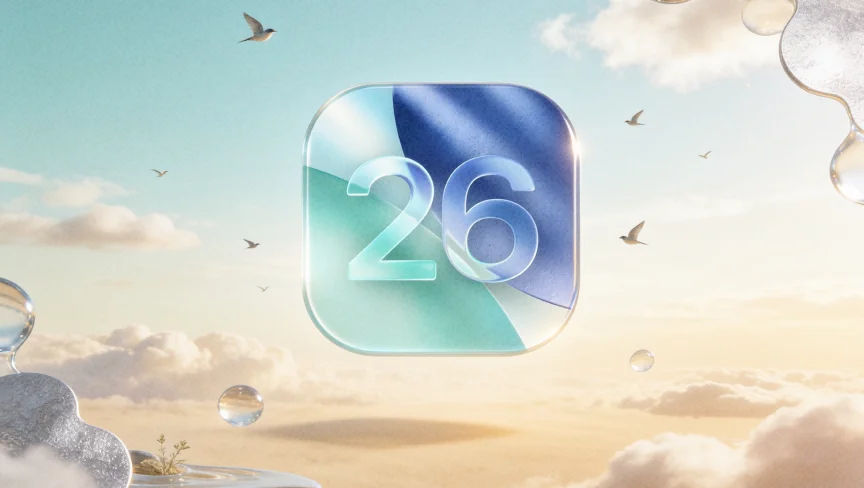
At WWDC 2025, Apple introduced iOS 26. As always, there’s a lot of talk about the new design, AI-powered features, and improvements for gamers. The good news for app owners is that there are no significant disruptions this time. However, there are still some details to consider. They will help your app stay modern, easy to use, and in line with the latest platform standards.
At Vilmate, we’ve already tested the iOS 26 beta. It’s full of interesting new features, and we liked it.
Every new iOS version presents an opportunity to enhance your product. But it can also bring hidden risks. Some things might stop working correctly. The interface could start to look outdated. And competitors could move ahead.
In this article, we’ll take a quick and practical look at what’s new in iOS 26 and what app owners should focus on.
What’s New in iOS 26
At WWDC 2025, Apple once again sparked widespread discussion. iOS 26 is not just another update — it’s a real step forward. The new system makes interfaces more beautiful, features smarter, and life a bit more interesting for app owners.
Let’s see what key updates Apple is bringing this fall — and why it’s worth preparing for them now:
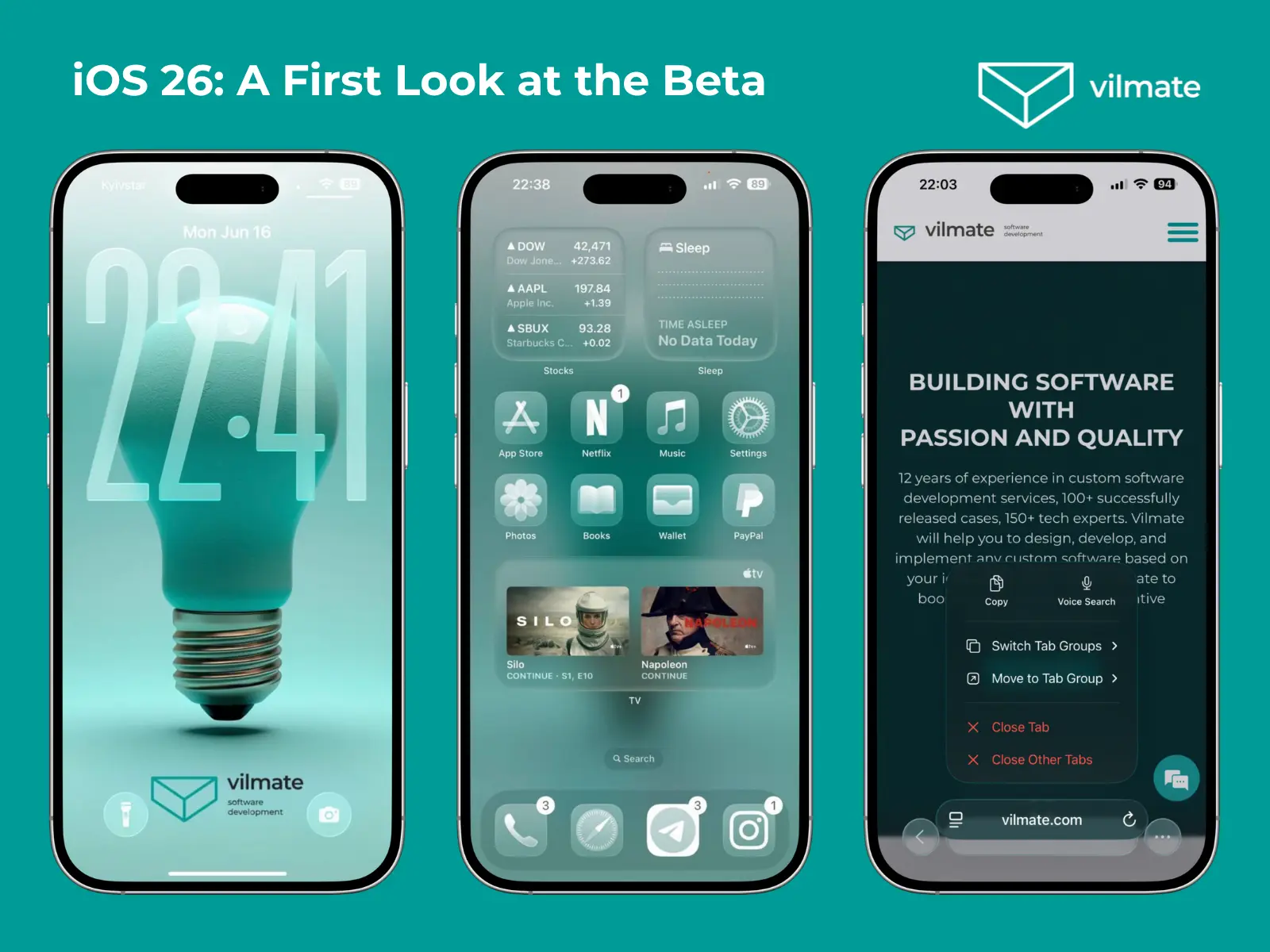
New “Liquid Glass” design — The interface feels lighter and more dynamic. You’ll see transparent elements, smooth animations, and a glass-like depth. Everything — from the lock screen to Safari and the Camera — now looks modern and consistent.
Apple Intelligence is even more innovative — There are new AI features. These include live translation in Messages, calls, and FaceTime, quick actions with content on the screen, and creating your own Genmoji and images with Image Playground. And yes — ChatGPT is now built into iOS.
Smarter messages and calls — You can change chat backgrounds, create polls, and filter spam in iMessage. Calls are easier to manage. The system can ask the caller’s name and the reason for their call. The new “Hold Assist” will even stay on the line for you.
Updates in CarPlay, Music, and Wallet — There are compact notifications while driving, song translations in Apple Music, smoother AutoMix transitions, and updated airport maps, tickets, and even passports in Wallet.
New Games app — Games now have a dedicated space. All purchases, activities, and achievements are collected in one place. You can also share them with friends.
Small but innovative improvements everywhere — Better smart home controls, reminders to clean your camera, parallax in Photos, new features in Maps, and more advanced accessibility tools.
These updates don’t just look good or make life easier. They bring new ways to use iOS. And that means apps will need to keep up. Next, we’ll examine what app owners should consider to ensure their apps are ready for iOS 26 and all its new features.
iOS 26 for App Owners: What’s Changing Under the Hood and Why It Matters
WWDC 2025 brought not only beautiful presentations for users but also important updates for app owners. iOS 26 introduces a whole set of new tools, APIs, and rules for developers. All of these changes directly affect app owners. They influence how your product will look, how it will work, and how it will be rated by users and in the App Store.
If you want your app to remain strong in the iOS 26 era, now is the ideal time to learn about the changes Apple is making — and what that means for your business.
Design in iOS 26: What App Owners Should Know
With iOS 26, Apple didn’t just make the interface look better. The company established new visual standards that apps must adhere to. If your app doesn’t adapt, it may look outdated and lose its appeal to users. Let’s look at the key points.
1. Liquid Glass — The New Interface Material
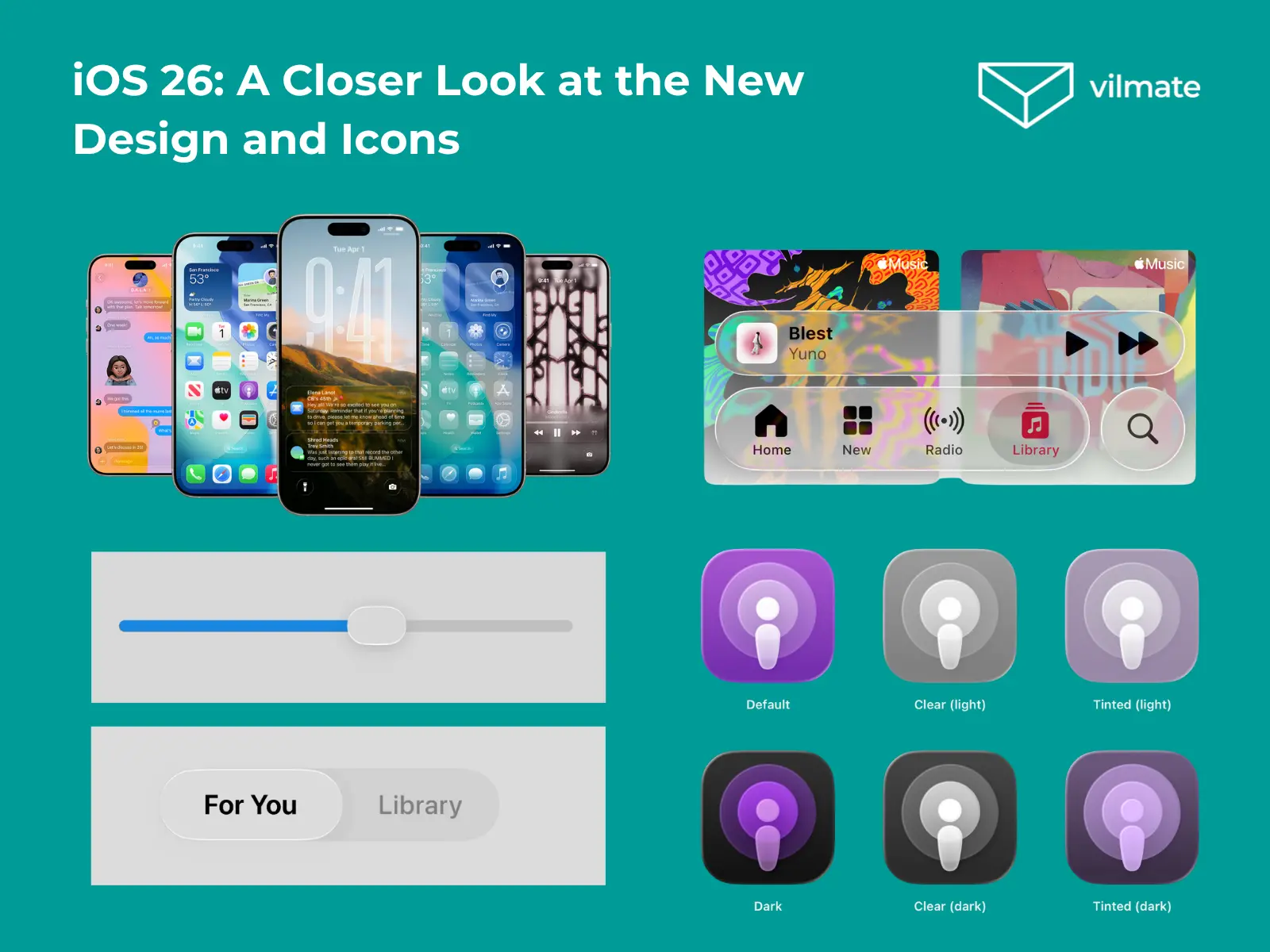
The main design update in iOS 26 is Liquid Glass. This material combines transparency, depth, and motion. It makes the interface feel light and modern. Apple uses it in system controls and navigation. Apps are expected to fit this new style.
If your app uses standard components like SwiftUI or UIKit, part of the new look will apply automatically when you rebuild with the latest SDK. But that won’t be enough. You’ll need to review custom backgrounds to ensure they don’t clash with Liquid Glass. Make sure the interface is not overloaded with effects. Too much glass can distract users from your content. Apple recommends using Liquid Glass only where it adds value.
2. A New Approach to Icons: Icon Composer and Layered Design
In iOS 26, icons are no longer just simple images – they are layered and dynamic. Icons now respond to light, shadows, and system effects. Apple has introduced Icon Composer, which helps you build icons from layers and shows how effects like blur, shadow, and highlights will look.
Apple’s message is clear: it’s time to update your icon. A flat, old-style icon will look out of place and could hurt your brand image.
Remember: design is not just about looks. It’s about how users feel when they first open your app. In iOS 26, users will expect a fresh, modern, and easy-to-use interface. If your app doesn’t meet that expectation, they may choose another one.
Apple Intelligence: How Built-In AI Is Changing the Way We Build Apps
With iOS 26, Apple has unlocked a new level of possibilities for apps — right on the device, without needing external services. Apple Intelligence isn’t just a trendy buzzword. It’s a set of fundamental tools that can make your product smarter, more user-friendly, and more appealing.
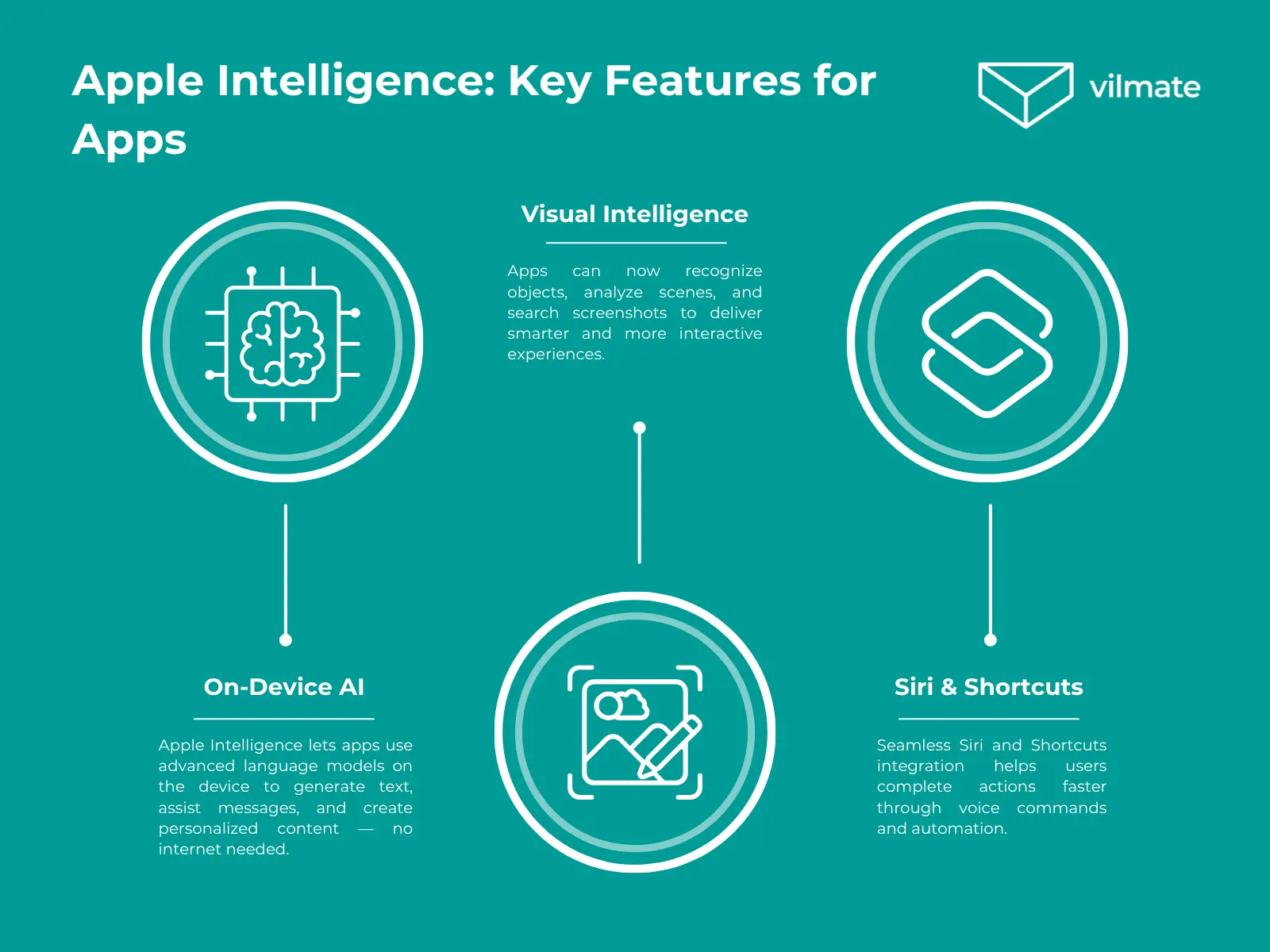
On-Device AI — Advanced language models work directly on the device to generate text, assist with messages, and create personalized content — no internet required.
Visual Intelligence — Apps can recognize objects, analyze scenes, and search screenshots for smarter, more interactive experiences.
Integration with Siri and Shortcuts — Deep system integration enables voice commands, shortcuts, and automation for faster, easier interactions.
Apple Intelligence helps you add features that delight users and make your product stand out from the competition. It’s a chance to deliver a modern experience and keep your audience loyal — without needing extra servers or complex architecture. Everything runs locally, which means faster performance, better security, and more trust from users.
Conclusion
iOS 26 is more than just a system update. It marks a new stage in Apple’s ecosystem evolution, bringing both new opportunities and challenges. Users will expect apps to offer modern design, innovative features, convenience, and quick responses to their needs. The sooner you start preparing your product for these changes, the smoother and more successful the adaptation will be.
Whether it’s Liquid Glass in the interface, support for interactive widgets, or integration with Apple Intelligence — each of these areas gives you a chance to make your app better and stand out from the competition.
Now is the perfect time to consider your update strategy, review your app’s current state, and establish a clear action plan. If you want to go through this process with an experienced technical partner who can help you move quickly and stress-free, the Vilmate team is always here to support you.
AUTHOR BIO
Anastasiia Rezinkina
Copywriter / Content manager
Anastasiia is a content writer at Vilmate with a focus on e-commerce, AI, and emerging tech trends. She turns complex topics into clear, practical reads — whether it’s comparing CMS platforms or unpacking how AI is reshaping online retail.
If you’ve already worked out where AI makes sense in retail, what implementation challenges can arise, and what defines AI readiness of your e-commerce stack, one decision remains: who is going to build it? That question is one reason a forward deployed engineer keeps coming up in AI conversations. The role puts an engineer directly […]
Ask an e-commerce team if they’re ready for AI and there’s a good chance the answer will be an immediate “absolutely.” And they probably mean it. Competitors are already using AI, plenty of everyday work could use automation, and there are usually a few ideas the team would happily start tomorrow. The answer gets less […]
If AI has suddenly become one more thing your retail team is expected to figure out, we get it. There are vendor demos, competitor launches, internal questions, and probably a few very confident opinions about what you should be doing already. That can make AI in retail feel like a decision you’re late to. You’re […]
Cookies help us see what's working on this site and make it better. Your call on what we track.
Functional
Always active
The technical storage or access is strictly necessary for the legitimate purpose of enabling the use of a specific service explicitly requested by the subscriber or user, or for the sole purpose of carrying out the transmission of a communication over an electronic communications network.
Preferences
The technical storage or access is necessary for the legitimate purpose of storing preferences that are not requested by the subscriber or user.
Statistics
The technical storage or access that is used exclusively for statistical purposes.The technical storage or access that is used exclusively for anonymous statistical purposes. Without a subpoena, voluntary compliance on the part of your Internet Service Provider, or additional records from a third party, information stored or retrieved for this purpose alone cannot usually be used to identify you.
Marketing
The technical storage or access is required to create user profiles to send advertising, or to track the user on a website or across several websites for similar marketing purposes.